Welcome to the latest in my series of posts on Graphics with the SAM Coupé.
You can find the other posts in this series here;
- Sam Coupe Assembly Language Programming
- Graphics in Assembly for the SAM Coupé
- Making SAM Coupé Sprites Transparent
- Animating SAM Coupé Sprites
The GitHub Repo
You can find all the files for the series in my GitHub Repo here;
https://github.com/pjgpetecodes/samcoupegraphics
Thankyou’s
Thank you to Adrian Brown for supplying the sprites for this blog post and for the regular support in answering my questions!
Controlling Animation with the Keyboard
In the previous tutorial Dizzy played one nine frame loop, drawn on a hidden screen page so it never flickers. Now we want him to react to us. We’ll build this up in three steps;
- Press any key, and Dizzy rolls once, then goes back to idling.
- Press Space to roll, and only Space.
- Hold Z to walk left, or X to walk right.
We continue directly from assembly/blog4/6-4.asm, and each step only adds the new parts.
Step 1: Any Key Rolls
All Twenty Four Frames
Until now we’ve only used the first nine frames of Dizzy. The Sprite Editor output for the whole set lives in assembly/blog5/dizzy_system_interleaved.asm. It holds all 24 frames, and we include it from our own folder now;
INCLUDE "dizzy_system_interleaved.asm"Each frame is 1024 bytes, so 24 of them take up 24K, and the end of the program has moved up to around 0xE169. The stack was previously at 0xC000, which is now in the middle of our frame data, so we move it above the end of the program;
LD SP,0xFF00 ; Use a safe stack above the program and its 24 framesTwo Sequences
We use the first nine frames as two tables. A two frame idle, and an eight frame roll;
Idle_Animation: DEFB    2
                DEFW    Dizzy_System_Interleaved_Image1,Dizzy_System_Interleaved_Image2
;
Jump_Animation: DEFB    8
                DEFW    Dizzy_System_Interleaved_Image1,Dizzy_System_Interleaved_Image3
                DEFW    Dizzy_System_Interleaved_Image4,Dizzy_System_Interleaved_Image5
                DEFW    Dizzy_System_Interleaved_Image6,Dizzy_System_Interleaved_Image7
DEFW Dizzy_System_Interleaved_Image8,Dizzy_System_Interleaved_Image9Update_Animation, Draw_Frame and the page flip don’t change at all, as they already work from whichever table Current_Animation points at.
Reading the Keyboard
The SAM’s keyboard is read through port 0xFE. The keys are arranged in rows of five, and the top eight bits of the port address choose which rows we read. A key that is held down reads as a zero bit, and one that is up reads as a one.
If we use 0x00 for the top byte we select every row at once, so if any key at all is down, one of the low five bits will be zero. We call a new Choose_Animation from the main loop, between the page flip and Update_Animation;
Animation_Loop: HALT                    ; Wait for the next 50 Hz interrupt
                CALL    Show_Pending_Frame ; Swap pages if a new frame is ready
                CALL    Choose_Animation ; Idle or jump, depending on the keyboard
                CALL    Update_Animation ; Change frame when the delay expires
JR Animation_Loop ; Repeat foreverChoose_Animation:
LD HL,(Current_Animation)
LD DE,Idle_Animation
OR A ; Clear the carry flag
SBC HL,DE
RET NZ ; A jump is playing, so ignore the keyboard
LD BC,0x00FE ; Select every keyboard row at once (port 0xFE)
IN A,(C) ; A bit is 0 when its key is down
OR 0b11100000 ; Ignore the top three bits
INC A ; 0xFF (no key down) becomes zero
RET Z ; No key, so keep idling
LD HL,Jump_Animation ; A key was pressed, so play the jump once
;
Set_Animation: LD (Current_Animation),HLWe only look at the keyboard while the idle is playing, so a roll can’t be restarted part way through. The top three bits of the port aren’t keys, so we set them with OR and then INC A turns the all ones case, where nothing is pressed, into zero so that RET Z can leave.
Set_Animation is exactly as it was in 6-4.asm, and the roll simply starts from its first frame.
Returning to Idle
The idle loops forever, but the roll should play once. At the end of a sequence, Update_Animation checks whether it was the roll, and if so starts the idle again;
                JR      C,Store_Frame   ; Still inside the sequence
                LD      HL,(Current_Animation)
                LD      DE,Jump_Animation
                OR      A               ; Clear the carry flag
                SBC     HL,DE
                LD      HL,Idle_Animation
                JR      Z,Set_Animation ; The jump has finished, so go back to idle
XOR A ; The idle loops, so return to frame zeroLD doesn’t change the flags, so the Z from the compare is still there for the JR. If a key is still down when the roll ends, Choose_Animation will start another one.
The Full Assembly
Full Assembly Listing for 7-1.asm
Download the Disk Image
You can download the disk image for 7-1.asm to run in SimCoupe or on your real SAM here;
The Result
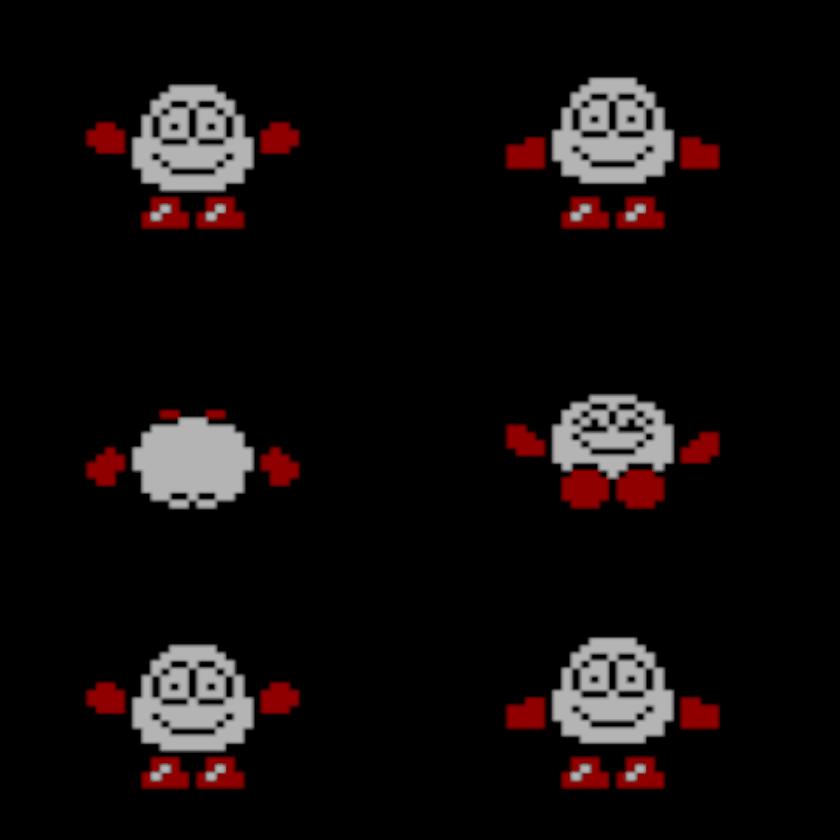
Press any key and Dizzy rolls once, then returns to idle.
See the result in the SAM Coupe Web Emulator
The following is showing a Web Embedded version of SimCoupe by Anomixer. You can find the repo for this here; https://github.com/anomixer/SamCoupeWeb.
Step 2: Only the Space Bar
Any key is fine for a test, but a game wants specific keys. To look at one key we read just the row it lives in. The top byte of the port address is a mask, with one zero bit for each row we want, so these two addresses give us everything we need for this tutorial;
| Port | Bit 0 | Bit 1 | Bit 2 | Bit 3 | Bit 4 |
|---|---|---|---|---|---|
0x7FFE | Space | Symbol | M | N | B |
0xFEFE | Shift | Z | X | C | V |
The only part that changes is Choose_Animation. We read the row that has Space on it, and test bit 0;
                LD      BC,0x7FFE       ; Keyboard row B N M Symbol Space (port 0xFE)
                IN      A,(C)           ; A bit is 0 when its key is down
                BIT     0,A             ; Bit 0 is the Space bar
                RET     NZ              ; Space is up, so keep idling
LD HL,Jump_Animation ; Space was pressed, so play the jump onceBIT sets the Z flag when the bit is zero, which is when the key is down, so a non-zero result means Space is up and we can leave. Everything else stays the same, and the rest of the keyboard is now ignored.
The Full Assembly
Full Assembly Listing for 7-2.asm
Download the Disk Image
You can download the disk image for 7-2.asm to run in SimCoupe or on your real SAM here;
The Result
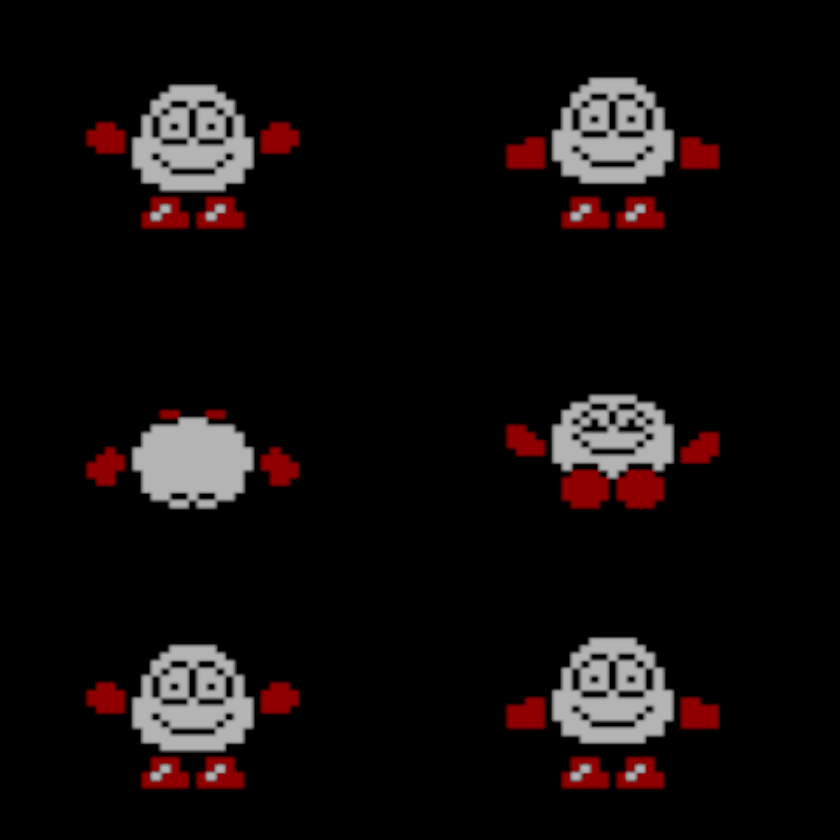
Dizzy now only rolls when you press Space.
See the result in the SAM Coupe Web Emulator
Step 3: Holding Keys to Walk
Now for the keys that we hold. The 24 frames hold two walking cycles as well as the roll. Frames 10 to 17 are Dizzy walking left, and frames 18 to 24 are Dizzy walking right. We add two more tables after the roll;
Walk_Left_Animation: DEFB 8
                DEFW    Dizzy_System_Interleaved_Image10,Dizzy_System_Interleaved_Image11
                DEFW    Dizzy_System_Interleaved_Image12,Dizzy_System_Interleaved_Image13
                DEFW    Dizzy_System_Interleaved_Image14,Dizzy_System_Interleaved_Image15
                DEFW    Dizzy_System_Interleaved_Image16,Dizzy_System_Interleaved_Image17
;
Walk_Right_Animation: DEFB 7
                DEFW    Dizzy_System_Interleaved_Image18,Dizzy_System_Interleaved_Image19
                DEFW    Dizzy_System_Interleaved_Image20,Dizzy_System_Interleaved_Image21
                DEFW    Dizzy_System_Interleaved_Image22,Dizzy_System_Interleaved_Image23
DEFW Dizzy_System_Interleaved_Image24Choosing the Sequence
Previously we only looked at the keyboard when the idle was playing. Now the keyboard decides what is playing at every moment, except during the roll, which we still let finish. We work down the keys in order of priority, loading the sequence for the first one that is down into HL. If none are down we load the idle;
Choose_Animation:
                LD      HL,(Current_Animation)
                LD      DE,Jump_Animation
                OR      A               ; Clear the carry flag
                SBC     HL,DE
                RET     Z               ; A jump is playing, so ignore the keyboard
                LD      BC,0x7FFE       ; Keyboard row B N M Symbol Space (port 0xFE)
                IN      A,(C)           ; A bit is 0 when its key is down
                LD      HL,Jump_Animation
                BIT     0,A             ; Bit 0 is the Space bar
                JR      Z,Change_Animation
                LD      BC,0xFEFE       ; Keyboard row Shift Z X C V
                IN      A,(C)
                LD      HL,Walk_Left_Animation
                BIT     1,A             ; Bit 1 is Z
                JR      Z,Change_Animation
                LD      HL,Walk_Right_Animation
                BIT     2,A             ; Bit 2 is X
                JR      Z,Change_Animation
LD HL,Idle_Animation ; Nothing held, so idleThe LD HL instructions don’t change any flags, so each JR Z still sees the result of the BIT just before it. Space wins over Z, and Z wins over X, if more than one is held.
Only Change When We Need To
While a key is held, we’ll arrive here fifty times a second with the same answer. If we restarted the sequence each time, Dizzy would be stuck on his first frame. So before we switch, we check that the new sequence isn’t already the one playing;
Change_Animation:
                LD      DE,(Current_Animation)
                OR      A               ; Clear the carry flag
                PUSH    HL              ; The compare destroys HL, so keep the new sequence
                SBC     HL,DE
                POP     HL
                RET     Z               ; Already playing it, so carry on
;
Set_Animation: LD (Current_Animation),HLWhen the new sequence differs we fall into Set_Animation, which starts it from the first frame. This works for letting go of a key too. When Z is released nothing is held, so we load the idle, it differs from the walk, and Dizzy goes back to idling.
The walk tables loop just like the idle does, since Update_Animation returns to the first frame at the end of anything that isn’t the roll.
The Full Assembly
Full Assembly Listing for 7-3.asm
Download the Disk Image
You can download the disk image for 7-3.asm to run in SimCoupe or on your real SAM here;
The Result
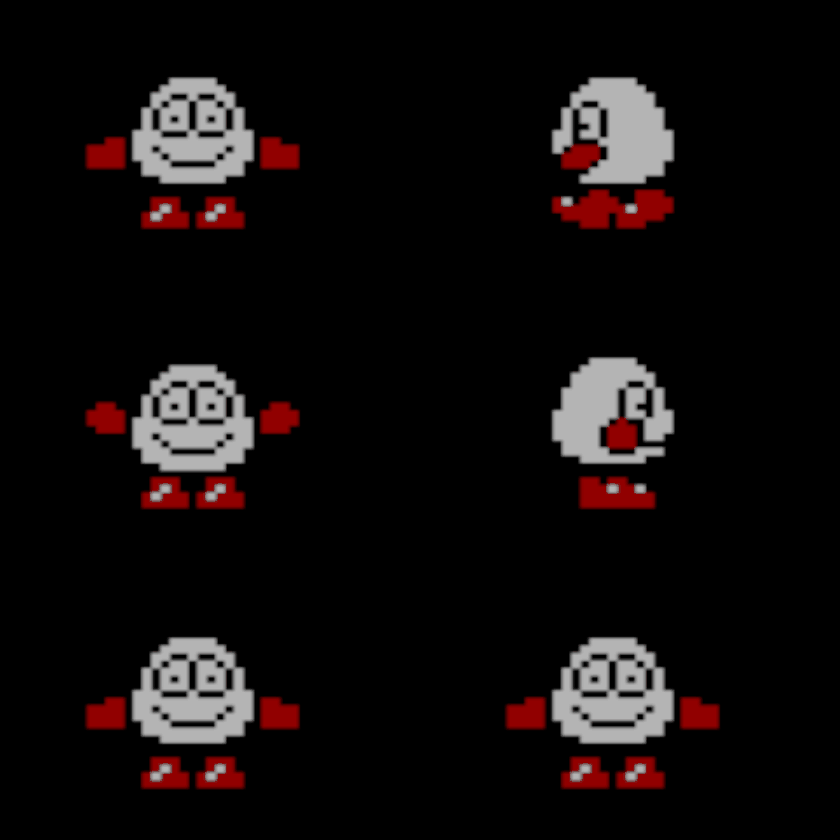
Hold Z or X and Dizzy walks, and press Space to roll.
See the result in the SAM Coupe Web Emulator
Building and Running
python .\.vscode\sam_build.py .\assembly\blog5\7-1.asm --build-only
python .\.vscode\sam_build.py .\assembly\blog5\7-2.asm --build-only
python .\.vscode\sam_build.py .\assembly\blog5\7-3.asm --build-onlyThen run the disks in SimCoupe. The demos loop forever, so reset the SAM to stop them.
Where to Go Next
So far Dizzy has stayed in a fixed position on a blank screen, and he walks on the spot. Next we can look at scenery behind him, which means saving and restoring the background rather than just clearing it, and then moving him around.